SigProfilerPlotting Installation (R-wrapper) Guide
Prerequisites
SigProfilerPlottingR requires that you have:
- Internet Connection
- Python version 3.4.0 or newer
- SigProfilerMatrixGeneratorR (recommended)
Mac/Unix
Check that you have the required python version by opening Terminal (⌘ + Space type terminal and hit return to open the application) and entering the command:
python3 --version
You should see an output similar to:
~ python3 --version
Python 3.4.0
If you do not get a similar output (or a version that is 3.4.0 or newer), you will need to install python3 before continuing with this guide.
Next you will want to make sure that you have pip3 installed because it will be used for importing sigProfilerPlotting. Check that you have pip3 installed by entering into terminal:
pip3 --version
You should see an output similar to:
~ pip3 --version
pip 19.0.1 /Library/Frameworks/SomeFilePath/
If you do not have pip3 installed, then follow homebrew's guide for installing pip.
Next, use pip3 to download SigProfilerPlotting.
pip3 install sigProfilerPlotting
You can check that the installation was successful by entering into Terminal:
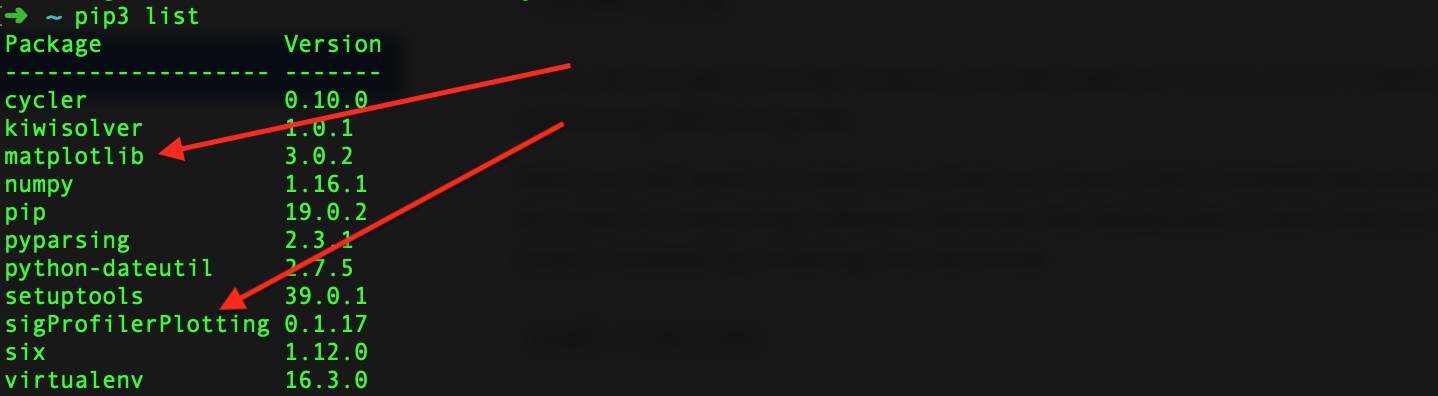
pip3 list
This command will output a list of libraries that you have access to. Matplotlib and sigProfilerPlotting should be two of the libraries listed.
If the download fails or you receive an error, check to make sure that python3 and pip3 are installed by using the --version commands. If they are not, start from the beginning of the guide and follow the directions again to download them.
Installing R dependencies
You must install the devtools and reticulate libraries:
$ R
>> install.packages("devtools")
>> install.packages("reticulate")
Now you are ready to install SigProfilerPlottingR:
$ R
>> library("reticulate")
>> use_python("path_to_your_python3")
>> py_config()
>> library("devtools")
>> install_github("AlexandrovLab/SigProfilerPlottingR")
Ensure that you can properly load the package:
>> library("SigProfilerPlottingR")